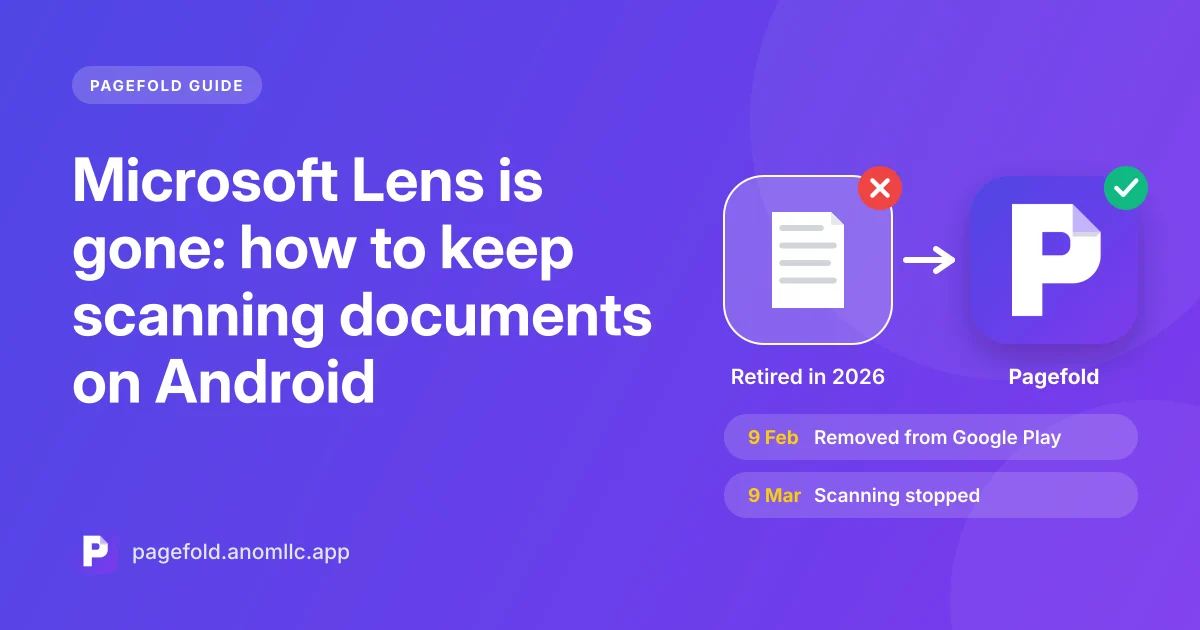
Microsoft Lens, the free scanner many people used for receipts, notes and forms, has been retired. It was removed from Google Play in February 2026 and stopped scanning in March 2026. If you relied on it, you need two things now: a way to keep your old scans, and a new scanner that works the way Lens did.
This guide covers both. We make Pagefold, a free scanner built for exactly this gap, so we explain where it fits and where it doesn't.
What happened to Microsoft Lens
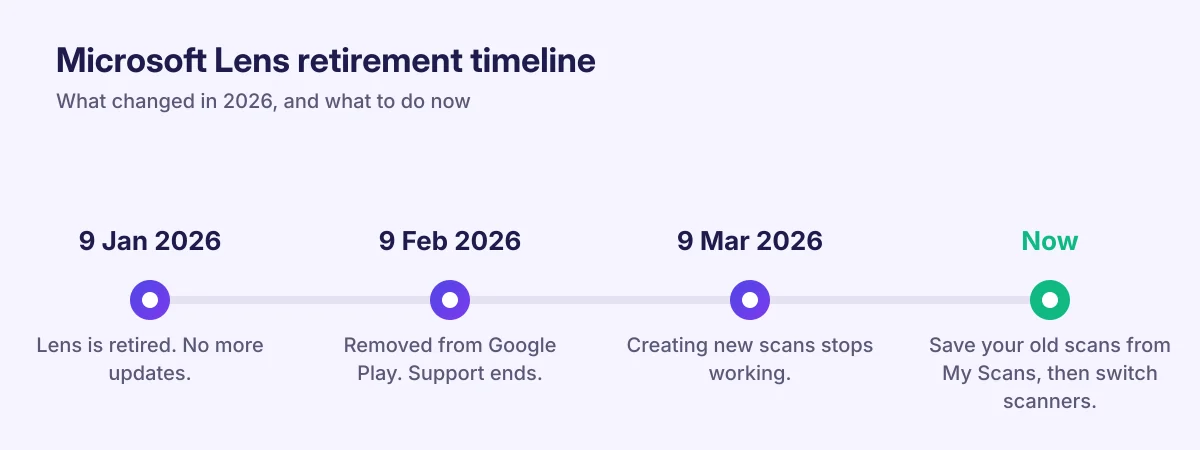
Microsoft announced the retirement in 2025 and moved the dates a few times. The final timeline was:
| Date | What changed |
|---|---|
| 9 January 2026 | Lens officially retired on Android (Microsoft support) |
| 9 February 2026 | Support ended and the app was removed from Google Play and the App Store (Windows Central) |
| 9 March 2026 | Creating new scans stopped working (Thurrott) |
Lens had more than 50 million downloads on Google Play and one of the highest ratings of any free Microsoft app. People liked it for simple reasons: it was free, it had no watermark, and it didn't push a subscription.
Your old scans: save them before you change phones
Scans already in Lens's My Scans list stay readable only while the app is still installed on your phone (Neowin). You can't reinstall Lens from Google Play anymore. If you uninstall it, reset your phone or move to a new one, those scans go with it.
Do this now:
- Open Lens and go to My Scans.
- Open each scan you want to keep and share or save it as a PDF to a place you control. Your phone's Downloads folder, Google Drive or an email to yourself all work.
- Check that the saved copies open before you uninstall Lens or change phones.
What Microsoft suggests instead
Microsoft points Lens users to scanning in OneDrive, and to the Microsoft 365 Copilot app. Both need a Microsoft account. Both put your scans in the cloud. Windows Central noted that OneDrive can't save scans locally on the phone.
If you already live in Microsoft 365 and want everything in OneDrive, that route makes sense. If you used Lens because it was quick, local and needed no account, it's a different experience.
What to look for in a replacement
The features that made Lens popular are a good checklist for any scanner:
- Free core with no watermark. Many free scanners stamp their logo on every PDF until you pay.
- No account. You should be able to scan the moment you open the app.
- Saves to your phone. Uploading should be your choice, not the default.
- Automatic edge detection and cleanup. The app should find the page, straighten it and make text crisp.
- Several pages in one PDF. Contracts and forms rarely have one page.
- Text recognition (OCR). Being able to copy and search the words in a scan saves a lot of retyping.
How Pagefold compares
Pagefold is a free document scanner for Android from Anom LLC. It was designed around the list above.
| What you used Lens for | Pagefold |
|---|---|
| Scan documents, receipts and notes to PDF | Yes, with automatic edge detection, crop and cleanup |
| Several pages in one PDF | Yes |
| Import photos from the gallery | Yes |
| Copy the text from a scan | Yes, read on your phone |
| Search inside your scans | Yes, by any word in the text |
| No account, no watermark | Yes |
| Save to the phone, Drive or any folder | Yes |
| Export to Word or PowerPoint | Not yet |
| Save business cards to contacts | Not yet |
| Send to OneNote | No; share the PDF to any app instead |
Scanning and text recognition run on your phone, and Pagefold never uploads your documents. The privacy policy covers the details.
Switching takes two minutes
- Install Pagefold and open it. There's no sign-up screen.
- Tap Scan a document, point the camera at a page and let the scanner find the edges.
- Add more pages if you need them, then save. Pagefold opens the finished scan.
- Tap Save PDF to put it in Downloads or Google Drive, or Share to send it.
- Tap Text to copy the words in the scan.
To bring old Lens scans into Pagefold, export them from Lens as images first. Then in Pagefold's scanner, choose the option to import from your gallery.
Frequently asked questions
Can I still use Microsoft Lens? If it's still installed, you can open it to view old scans, but new scans stopped working on 9 March 2026. You can't download it again from Google Play.
Is there an official replacement? Microsoft recommends scanning in OneDrive or the Microsoft 365 Copilot app, which use a Microsoft account and save to the cloud.
Is Pagefold made by Microsoft? No. Pagefold is an independent app from Anom LLC.
Related guides: how to scan documents on Android and how to copy text from a scan.